 Arknights Operators Manager
DESKTOP
PC version
Manage your training plan in a Windows app.
Windows 11 or later / 64-bitExtract the ZIP and run it. No installation required.
Download PC versionARKNIGHTS OPERATORS MANAGER
Set training targets for your operators and see the materials you need and how many are missing.
Choose the PC version for Windows or the browser version that needs no download.
See what it can do
Materials needed for your targets are totaled automatically. Compared with your inventory to show what is missing.
Choose the version you want to use.
Manage your training plan in a Windows app.
Windows 11 or later / 64-bitExtract the ZIP and run it. No installation required.
Download PC versionManage your training plan in your browser.
Runs in your browserNo app download needed. Start right away.
Open browser version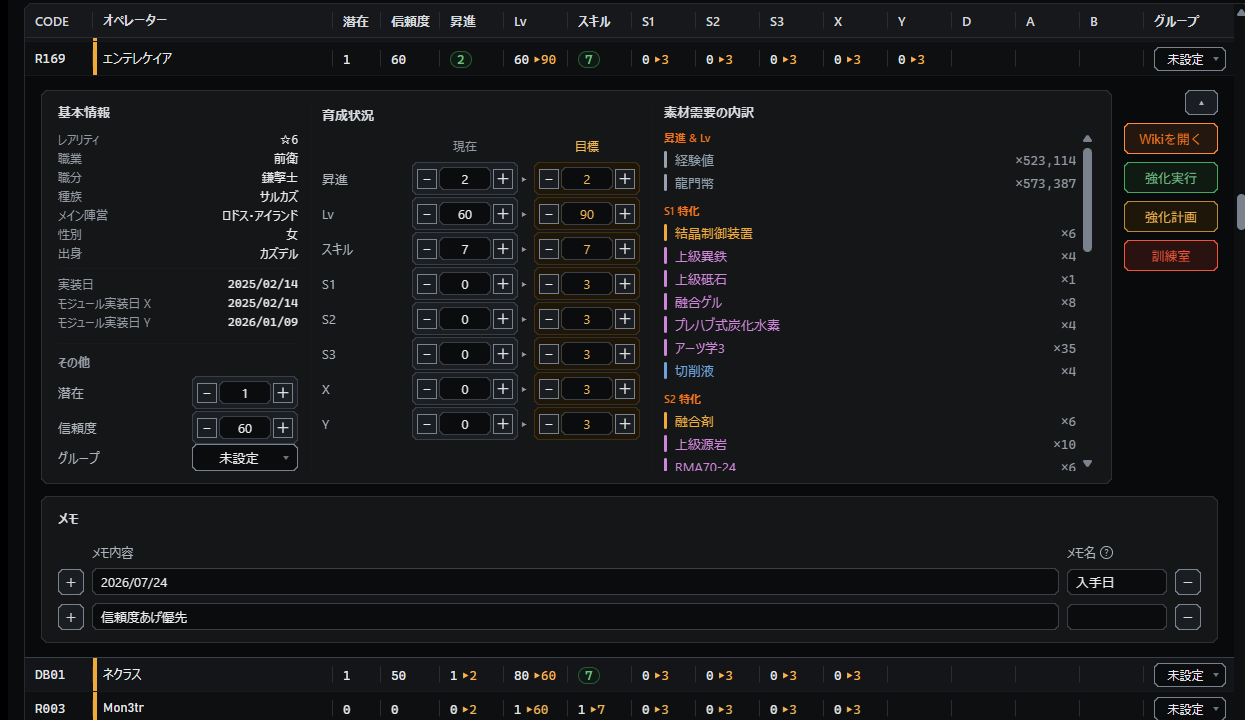
01 Training targets
Promotion, level, skill mastery, and modules. Set current and target values for each operator.
How to set targets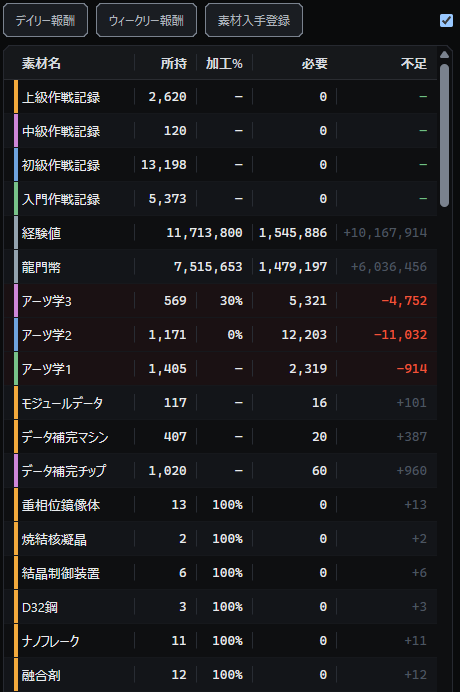
02 Materials
Materials needed to reach your targets are totaled automatically. Compare them with your warehouse inventory to see what is missing.
How to manage materials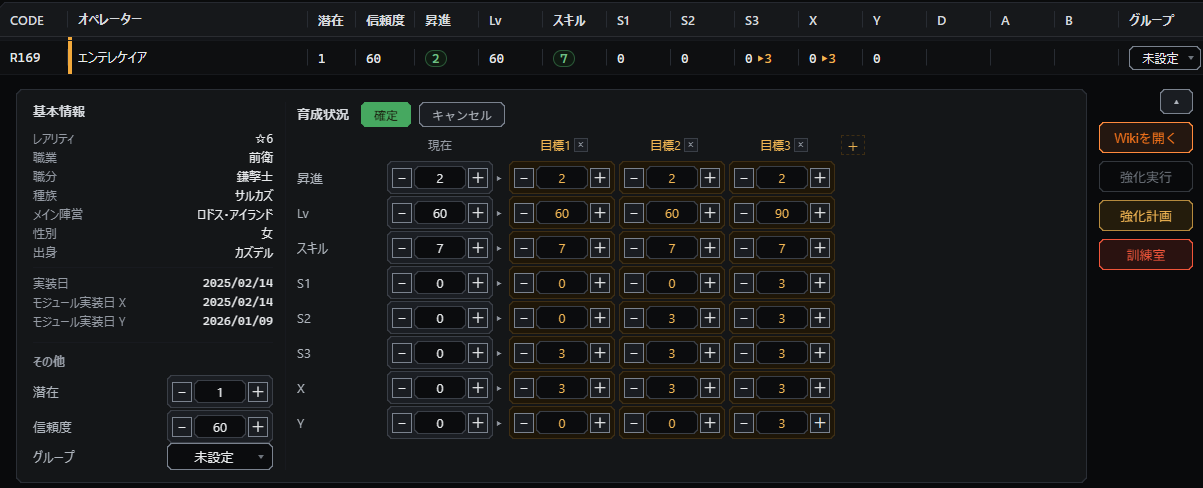
03 Enhancement plans
Create multiple enhancement plans and switch between targets to compare them. As training progresses, update current values and material counts.
How to use enhancement plansMore features for everyday training.
These steps are the same in the PC and browser versions.
Search for the operators you want to train and enter their current progress.
Set the targets you want to reach, such as promotion, level, and skills.
Enter the materials you own to see how many more you need.
Review and correct the training progress and material counts that were read before importing them.
Screenshot reading works with the PC version of the game only. Screens from the browser version are not supported.